Auf dieser Seite finden Sie eine Anleitung zum Zurücksetzen von Passwörtern auf Ihren Hikvision-Geräten.
Für Endanwender:
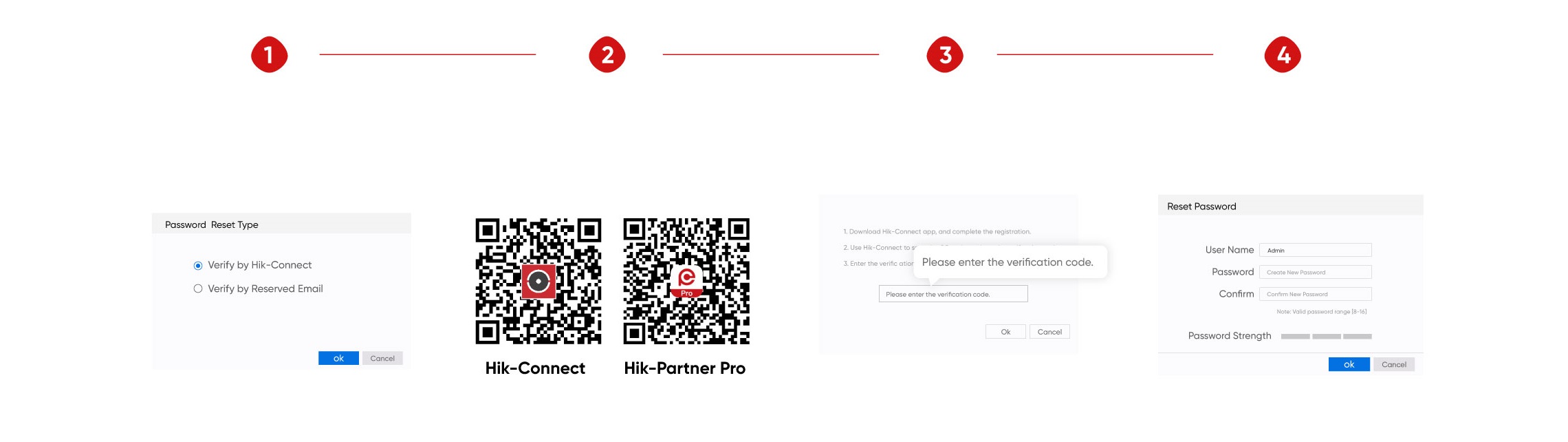
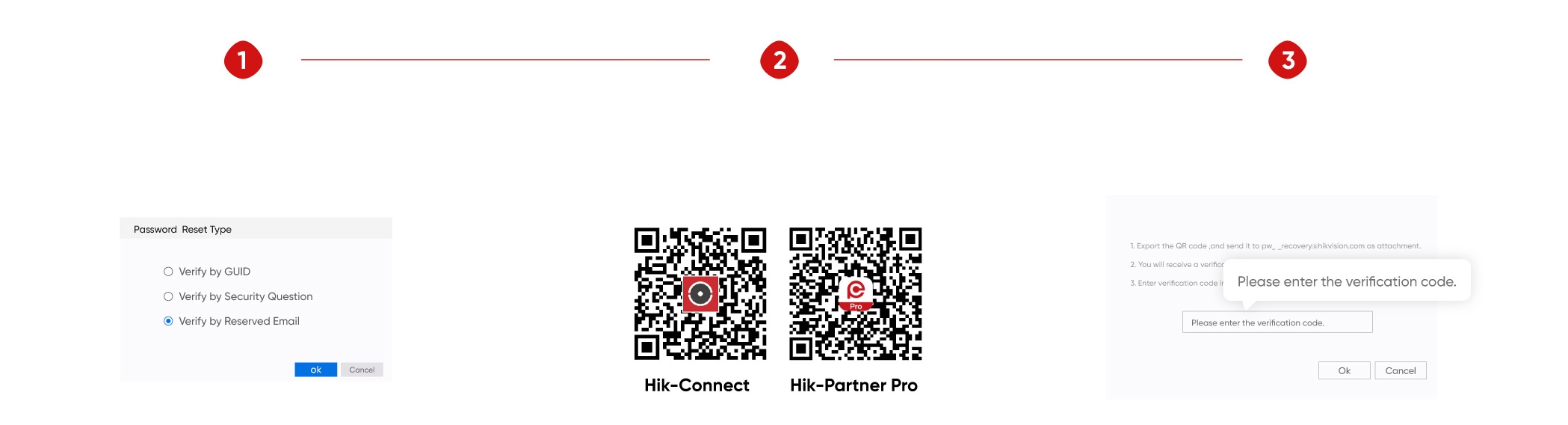
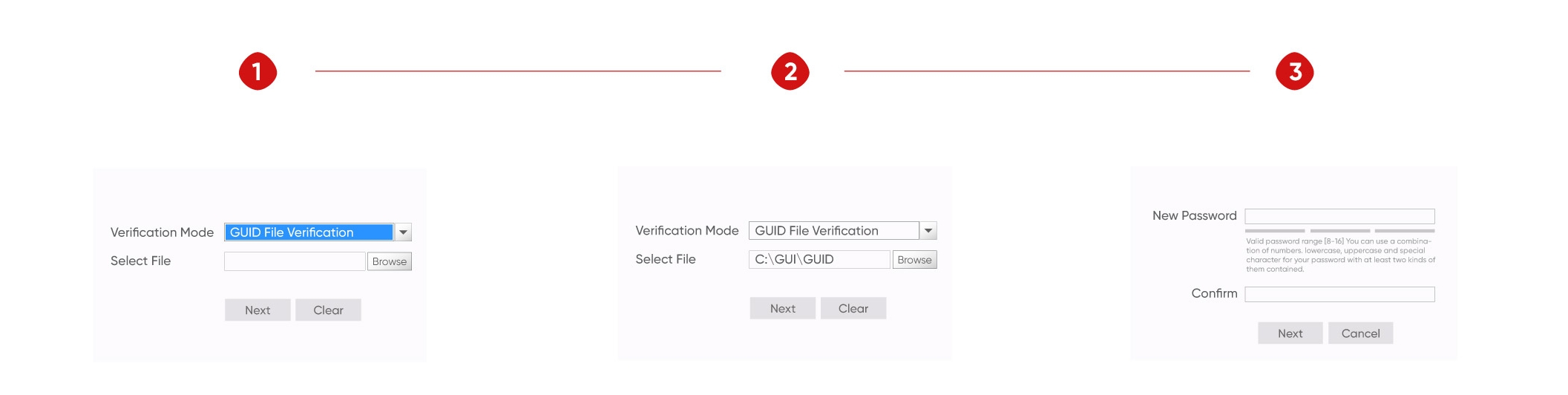
Wir empfehlen Ihnen "4 Wege zum Zurücksetzen des Passworts per Self-Service" - Das Tutorial-Video können Sie hier sehen). Please note that not all Hikvision devices support all these methods. Gehen Sie zur Seite "Passwort vergessen", um die verschiedenen Methoden zu überprüfen, die von Ihrem Produkt unterstützt werden.
For installers:
You can easily reset a password using the Hik-Partner Pro mobile app.
In den folgenden Anleitungen erfahren Sie, wie Sie Ihr Passwort am schnellsten zurücksetzen können. If you have any questions during the process, please contact Hikvision (Find the contact of Hikvision technical support team) or see Troubleshooting Tips of Password Reset Failed Issue here.
Hinweis: Also try the Password Hints function to help you recall your original password. This function is only available for NVRs (76Q-series, K-series, K-series with AcuSense) with firmware V4.75.000 and later. /content/dam/hikvision/en/support/how-to/password-reset/NVR-and-DVR-usability_Easy-solutions-for-password-reset.png" target="_blank">Learn more here.
Self-service password reset
The device has been added to the Hik-Connect or Hik-Partner Pro account.
Der Benutzer hat eine E-Mail-Adresse eingerichtet.
Security questions have been set by the user.
The GUID file has been exported and saved by the user.
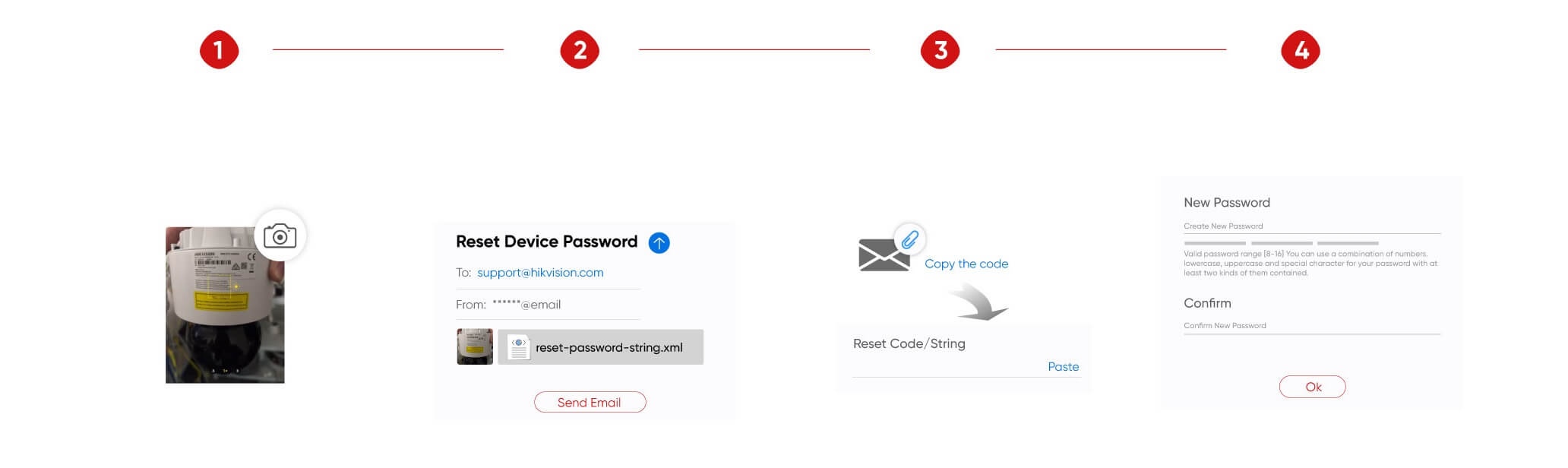
Password reset via XML file
The Hikvision devices can be detected on the same LAN.
Haben Sie noch Fragen?
Hikvision.com uses strictly necessary cookies and related technologies to enable the website to function. With your consent, we would also like to use cookies to observe and analyse traffic levels and other metrics / show you targeted advertising / show you advertising on the basis of your location / tailor our website's content. For more information on cookie practices please refer to our cookie policy.