Skip to content
add compare icon

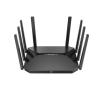
AX6000 Wireless Router

  • 6000Mbps Wi-Fi 6
  • Wired Wireless Dual Gigabit
  • Hikvision Mesh Support
  • Roaming Support
  • APP Management
View Less
View more

Available models:

DS-3WR60X
View more View Less

Specification

  • General
  • Product Dimensions (W × H × D)255 mm × 175.85 mm × 203.43 mm
  • Package Dimensions (W × H × D)386 mm x 458 mm x 81 mm
  • Net Weight0.89kg
  • Packing List6000Mbps Wi-Fi6 Router x 1 Power Supply Adaptor × 1 CAT5e Network Cable × 1 Quick Start Guide × 1 Regulatory Compliance and Safety Information × 1
  • Packing MethodSingle pack
  • Working Temperature0 ℃ to 40 ℃ (32 ℉ to 104 ℉)
  • Working Humidity10% to 90% RH non-condensing
  • Storage Temperature-40 ℃ to 70 ℃ (-40 ℉ to 158 ℉)
  • Storage Humidity5% to 95% RH non-condensing
  • Installation ModeDesk-Mounted,Wall-Mounted
  • Max. Power Consumption< 22.5 W
  • Gross Weight1.69kg
  • Wireless Parameter
  • Wireless StandardIEEE 802.11a/n/ac/ax @5GHz IEEE 802.11b/g/n/ax @2.4GHz
  • Working Frequency Band2.4 GHz,5 GHz
  • Transmitting PowerCE: <20dBm(2.4GHz) <23dBm(5GHz)
  • Receiving Sensitivity5GHz -88dBm@HE80-MCS0 -60dBm@HE80-MCS11 2.4GHz -97dBm@HE20-MCS0 -66dBm@HE20-MCS11
  • Antenna8 high gain antennas
  • Wireless Range待实测数据
  • Max. Connections256
  • Recommended Connections64
  • Wireless FeaturesDual Band Supported MU-MIMO supported Beamforming supported OFDMA supported
  • Antenna Gain5dbi
  • Max. Wi-Fi Speed≤ 5952 Mbps 5GHz: 4804 Mbps 2.4GHz: 1148 Mbps
  • Hardware Parameter
  • Network Interface1 × 10/100/1000 Mbps Adaptive WAN Port 3 × 10/100/1000 Mbps Adaptive LAN Ports
  • LED IndicatorRed/blue for different working states, flashing mode
  • Power Supply MethodPower Supply Adapter
  • Power SpecificationsDC 12 V, 2 A
  • ButtonReset button, WPS/MESH Button
  • RAM512MB DDR4
  • ROM128MB SPI NAND FLASH
  • Software Function
  • Security ModeWPA2-PSK,WPA/WPA2-PSK,WPA2-PSK/WPA3-SAE
  • Security MechanismSupport fast and secure WPS connection Support hiding wireless network name Support controlling terminal network connection Support firewalls Login Authentication
  • DHCPDHCP Client List DHCP Server
  • Management MethodWeb Control: PC, mobile App Control: HPP, HC TR069(TR098/TR181)
  • UpgradeWeb Upgarde App Cloud Upgrade Auto Upgrade
  • System LogSystem log
  • Operating ModeRouter Mode Wireless Extender Mode Access Point Mode
  • WAN ModeDHCP Static IP PPPOE
  • IP VersionIPv4 IPv6
  • Parental ControlSpeed Limit Internet Access Period Filter URL Parental Control Custom Profiles
  • FirewallForbid UDP flood attack Forbid TCP SYNC flood attack Forbid ICMP flood attack
  • DDNSOray, No-IP,DynDNS
  • VPNPPTP Server,L2TP Server,PPTP Client,L2TP Client
  • NAT ForwardingPort Mapping DMZ UPnP
  • OthersVLAN/IPTV,WAN Self-Adaption,Quick Diagnosis,WIFI Optimization
  • MESHHikvision Mesh
  • Roaming802.11k/v

Specification

Specification
General
  • General
  • General
  • General
  • General
  • General
  • General
  • General
  • General
  • General
  • General
  • General
  • General
Wireless Parameter
  • Wireless Parameter
  • Wireless Parameter
  • Wireless Parameter
  • Wireless Parameter
  • Wireless Parameter
  • Wireless Parameter
  • Wireless Parameter
  • Wireless Parameter
  • Wireless Parameter
  • Wireless Parameter
  • Wireless Parameter
Hardware Parameter
  • Hardware Parameter
  • Hardware Parameter
  • Hardware Parameter
  • Hardware Parameter
  • Hardware Parameter
  • Hardware Parameter
  • Hardware Parameter
Software Function
  • Software Function
  • Software Function
  • Software Function
  • Software Function
  • Software Function
  • Software Function
  • Software Function
  • Software Function
  • Software Function
  • Software Function
  • Software Function
  • Software Function
  • Software Function
  • Software Function
  • Software Function
  • Software Function
  • Software Function

Resources

Firmware

For better user experience, we highly recommend you to update your device to the latest firmware asap.

Firmware

For better user experience, we highly recommend you to update your device to the latest firmware asap.
Applied to:
DS-3WR60X

Hikvision.com uses strictly necessary cookies and related technologies to enable the website to function. With your consent, we would also like to use cookies to observe and analyse traffic levels and other metrics / show you targeted advertising / show you advertising on the basis of your location / tailor our website's content. For more information on cookie practices please refer to our cookie policy.


Contact Us
Hik-Partner Pro close
Hik-Partner Pro
Security Business Assistant. At Your Fingertips. Learn more
Hik-Partner Pro
Scan and download the app
Hik-Partner Pro
Hik-Partner Pro

Get a better browsing experience

You are using a web browser we don’t support. Please try one of the following options to have a better experience of our web content.